Building WidgetAI: A Developer-First Platform for Embeddable AI Assistants
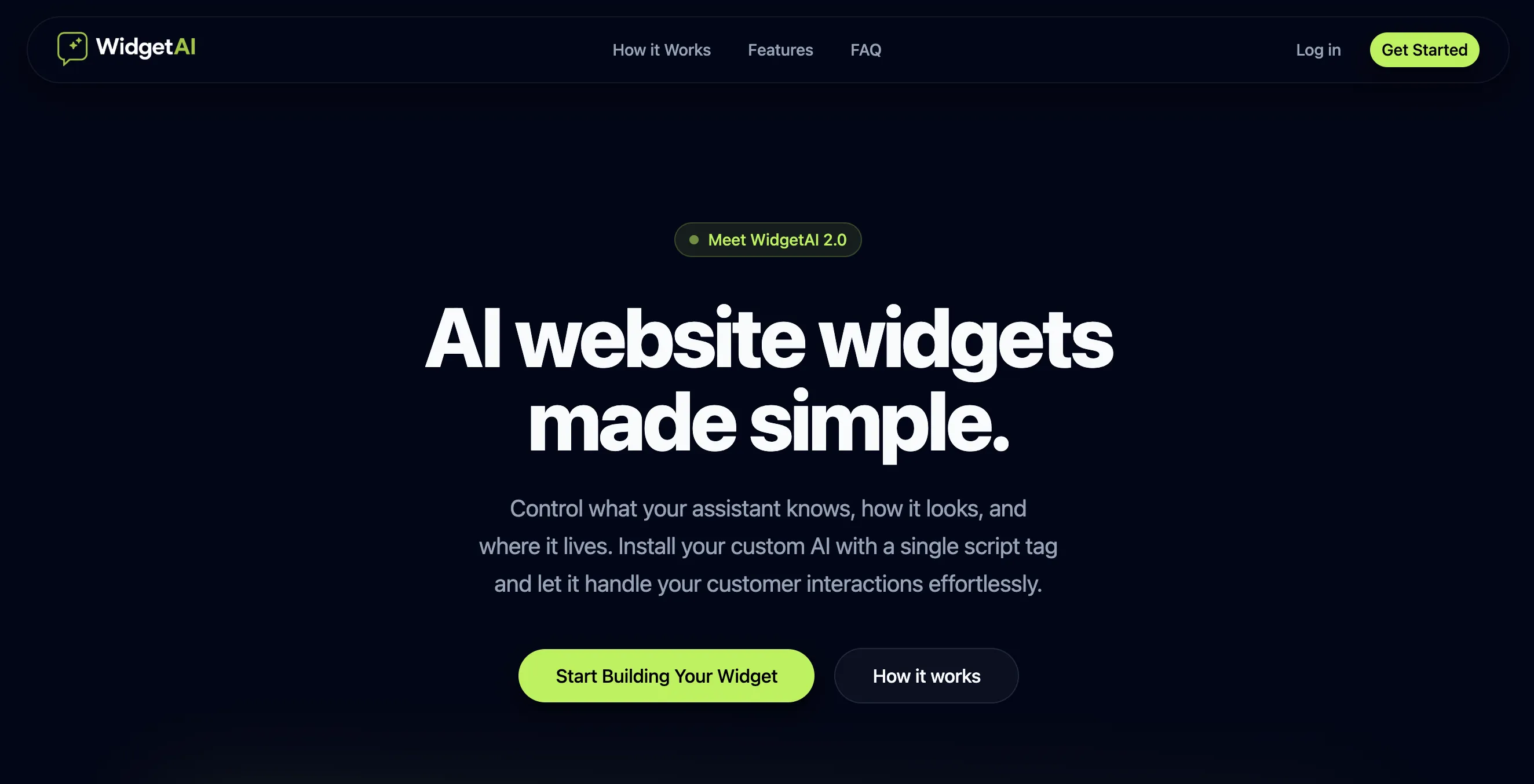
Every developer who has tried to add a support chatbot or AI assistant to a website knows the frustration. You either reach for a bloated SaaS whose branding you cannot remove, wire up raw API calls to OpenAI and end up owning the entire context management layer yourself, or stitch together half a dozen third-party widgets that never quite look right. None of these paths lead somewhere clean.
WidgetAI is my attempt at a better answer. It is a platform that lets developers and businesses create, configure, and embed AI assistants directly into any website—with full control over the context the AI uses, the rules it follows, the persona it projects, and the visual style it renders in. One dashboard. One script tag.
The Problem With Traditional Website Chatbots
The chatbot space has a deeply rooted engineering problem: the gap between what the AI knows and what your product actually is.
Most off-the-shelf solutions ship with a generic language model and offer a thin wrapper for “custom instructions.” In practice, this means your AI assistant confidently answers questions about competitor products, hallucinates pricing tiers, or falls back to generic responses the moment a user asks anything specific. The fundamental issue is that these tools are not designed around the idea that you own the context.
Beyond context, the embedding experience itself is often painful:
- Multi-kilobyte JavaScript bundles that block the main thread.
- No control over the widget’s appearance beyond a hex color picker.
- Zero programmatic API to open, close, or interact with the widget from your own code.
- Vendor lock-in baked into the data model from day one.
WidgetAI is architected to address each of these points directly.
What WidgetAI Is
At its core, WidgetAI is a three-part system:
- A dashboard where you define your AI assistant—its knowledge base, behavioral rules, tone, and UI appearance.
- A backend API that manages credentials, widget configurations, and proxies AI inference with your context injected.
- An embeddable widget script that drops your configured assistant onto any webpage with a single
<script>include.
The design philosophy is deliberately opinionated: developers configure once, embed everywhere, and retain full control at every layer.
Architecture Overview
┌──────────────────────────────────────────────────────────┐
│                     Browser (Visitor)                     │
│  ┌──────────────┐   /chat  ┌───────────────────────────┐ │
│  │  Your Site   │ ──────▶  │  WidgetAI Embed Script    │ │
│  └──────────────┘          │  (isolated shadow DOM)    │ │
│                            └────────────┬──────────────┘ │
└─────────────────────────────────────────┼────────────────┘
                                          │ HTTPS (REST)
                          ┌───────────────▼────────────────┐
                          │      ElysiaJS API (Bun)        │
                          │  ┌──────────┐  ┌────────────┐  │
                          │  │  Redis   │  │ PostgreSQL  │  │
                          │  │ Session  │  │  Widgets   │  │
                          │  │  Cache   │  │  + Users   │  │
                          │  └──────────┘  └────────────┘  │
                          └────────────────────────────────┘
                                          │
                          ┌───────────────▼────────────────┐
                          │      AI Inference Provider     │
                          │  (context injection layer)     │
                          └────────────────────────────────┘
The landing page, dashboard, and backend are decoupled services that share a common type layer. This separation keeps deployment flexible and makes it straightforward to scale independently.
Frontend Architecture: The Landing Page
The landing page at widgetai.youssef.tn is built with Astro and TailwindCSS, using shadcn/ui components for interactive elements.
Why Astro?
Astro’s island architecture is the right fit here for two reasons. First, a marketing landing page is overwhelmingly static content—hero sections, feature grids, FAQ accordions. Shipping a full React SPA for this would be paying a large JavaScript tax for no good reason. Astro renders everything to static HTML at build time by default, which means excellent Core Web Vitals scores out of the box.
Second, Astro lets you drop in interactive islands exactly where you need them without framework lock-in. The animated theme toggler, for instance, is a React component that hydrates only when it enters the viewport (client:visible), while the rest of the page stays as zero-JS HTML.
---
// Example: Astro component with a selective React island
import { ThemeToggler } from '../components/ui/animated-theme-toggler';
---

<header>
  <nav>
    <!-- Static HTML—zero JS overhead -->
    <a href="/features">Features</a>
  </nav>
  <!-- Only this island ships and hydrates JavaScript -->
  <ThemeToggler client:visible />
</header>
The result is a page that loads fast even on constrained connections—critical for a product whose core claim is that it does not slow your website down.
Dashboard Design: React + Vite + TypeScript
The dashboard is a standalone React application built with Vite, written entirely in TypeScript, and styled with TailwindCSS and shadcn/ui.
The decision to keep the dashboard as a separate Vite app (rather than an Astro project with heavy islands) was intentional. Dashboards are genuinely interactive—form state, real-time preview, configuration panels, drag-and-drop—and React’s component model handles this complexity well. Vite’s HMR makes the development loop tight.
TypeScript runs end-to-end across the dashboard and backend, which means the widget configuration shape is a shared type. When the API contract changes, the TypeScript compiler catches it in the dashboard immediately.
The widget configuration editor gives users control over:
- System prompt and knowledge base — what the AI knows about their product.
- Behavioral rules — tone of voice, fallback responses, topics to avoid.
- Appearance — colors, position, avatar, opener text, chat bubble styles.
- Allowed origins — domain whitelist for the embed script.
A live preview renders the final widget appearance inside the dashboard as configuration changes are made, using the same widget component that ships to production.
Backend Architecture: Bun + ElysiaJS + PostgreSQL + Redis
The API server is where the most interesting decisions live.
Why Bun?
Bun is a JavaScript runtime that implements Node.js-compatible APIs but ships with a significantly faster startup time and a built-in bundler, test runner, and package manager. For a backend that handles stateless API requests, Bun’s lower cold start latency and reduced memory footprint matter in real terms—especially when running on a constrained VPS.
Why ElysiaJS?
ElysiaJS is an end-to-end type-safe HTTP framework designed specifically for Bun. Its ergonomics are close to Hono or Fastify, but the type inference story is notably cleaner. Route handlers, middleware, and response schemas are all validated at runtime via the built-in t schema system, which also generates OpenAPI documentation automatically.
// Example: A type-safe ElysiaJS route
import Elysia, { t } from 'elysia';

const widgetRoutes = new Elysia({ prefix: '/widgets' })
  .get('/:id', async ({ params, set }) => {
    const widget = await db.getWidget(params.id);
    if (!widget) {
      set.status = 404;
      return { error: 'Widget not found' };
    }
    return widget;
  }, {
    params: t.Object({ id: t.String() }),
  });
Runtime validation at the route level means invalid requests are rejected before they reach business logic—no need for manual input sanitization at every handler.
PostgreSQL and Redis: Two Stores, Two Jobs
PostgreSQL is the source of truth. Widget configurations, user accounts, usage records, and API keys all live here. The relational model fits naturally: a user has many widgets, a widget has one configuration, an API key belongs to one widget.
Redis handles two separate concerns:
- Session caching — Authenticated dashboard sessions are stored in Redis with a TTL, keeping the database query count per request low for the most common operations.
- Rate limiting — Each widget embed script hits the API on every visitor message. Redis’s atomic increment operations make per-widget rate limiting straightforward and performant, without needing a distributed lock or a full database row update on each request.
// Simplified Redis rate limiting check
const key = `ratelimit:${widgetId}:${minuteWindow}`;
const count = await redis.incr(key);
if (count === 1) await redis.expire(key, 60);
if (count > MAX_REQUESTS_PER_MINUTE) {
  set.status = 429;
  return { error: 'Rate limit exceeded' };
}
Embedding AI Into Any Website
The embed script is the product’s most user-facing piece of engineering. It has to be:
- Small — visitors on your site are not there to load WidgetAI.
- Isolated — widget styles must not bleed into the host page, and host page styles must not corrupt the widget.
- Resilient — network failures, missing configuration, or slow API responses should degrade gracefully.
The script mounts the widget UI inside a Shadow DOM element, which provides CSS encapsulation without iframes. This keeps the widget visually consistent across any host page regardless of what CSS resets or design systems the site uses.
<!-- Integration is intentionally this simple -->
<script
  src="https://api.widgetai.dhibi.tn/widget/embed.js"
  data-widget-id="widget_........."
></script>
The async and defer attributes ensure the script does not block page rendering. Internally, the script fetches the widget configuration from the API on first load, caches it in sessionStorage, and renders the UI only once the host page is fully interactive.
Allowed domain validation happens server-side on every configuration request: if the Origin header does not match the widget’s configured domain whitelist, the API returns a 403. This prevents unauthorized embedding of paid widget configurations.
Performance and Scalability Considerations
The current architecture is designed to scale vertically without redesign and horizontally with minimal changes:
- Stateless API handlers — No in-process state means any number of API server instances can sit behind a load balancer. Bun’s low memory overhead makes running multiple instances on a single host practical.
- Redis as the shared ephemeral layer — Session state and rate limit counters live in Redis, not in application memory, so horizontal scaling works correctly out of the box.
- PostgreSQL connection pooling — ElysiaJS integrates cleanly with a connection pool, keeping the number of open database connections predictable under load.
- CDN caching for the embed script — The embed script itself is a static asset with an aggressive cache-control header. Only the configuration fetch and conversation API calls are dynamic.
Future Improvements
A platform like this is never done. The most valuable near-term additions would be:
- Streaming responses — For longer AI answers, streaming tokens over a
ReadableStreamwould improve the perceived response time significantly. Server-Sent Events are the natural fit for this over ElysiaJS. - Conversation history and analytics — Storing anonymized conversation logs per widget would unlock usage analytics in the dashboard without compromising visitor privacy.
- Multi-provider AI routing — Currently the platform targets a single inference provider. Adding an abstraction layer to route requests to different models based on cost, latency, or capability would make the platform more competitive.
- Webhook integration — Firing a webhook when a visitor transitions from an AI conversation to a human escalation request is a high-value enterprise feature.
- Widget versioning — Pinning a widget to a specific configuration version would give businesses deploying across large sites confidence that a dashboard change will not immediately affect production traffic.
Closing Thoughts
WidgetAI started from a simple observation: embedding a smart, contextually accurate AI assistant into a website should not require weeks of backend work or accepting a vendor’s branding tax.
The technology choices—Astro for the static landing page, React for the interactive dashboard, Bun and ElysiaJS for a lean and type-safe backend, PostgreSQL for durable data, Redis for ephemeral caching and rate limiting—each solve a specific problem rather than following convention for its own sake.
If you are a developer looking to add a truly configurable AI assistant to your project without writing the infrastructure yourself, WidgetAI is worth exploring. The full project is built and maintained by Youssef Dhibi, a full-stack web and mobile developer whose other work you can find over at github.com/youssefsz.
Go build something with it.